
Built for the most sensitive records you hold.
Children’s medical, safeguarding and learning records deserve more than a password. This page says what Wrennery does, and what stays your responsibility as the data controller.
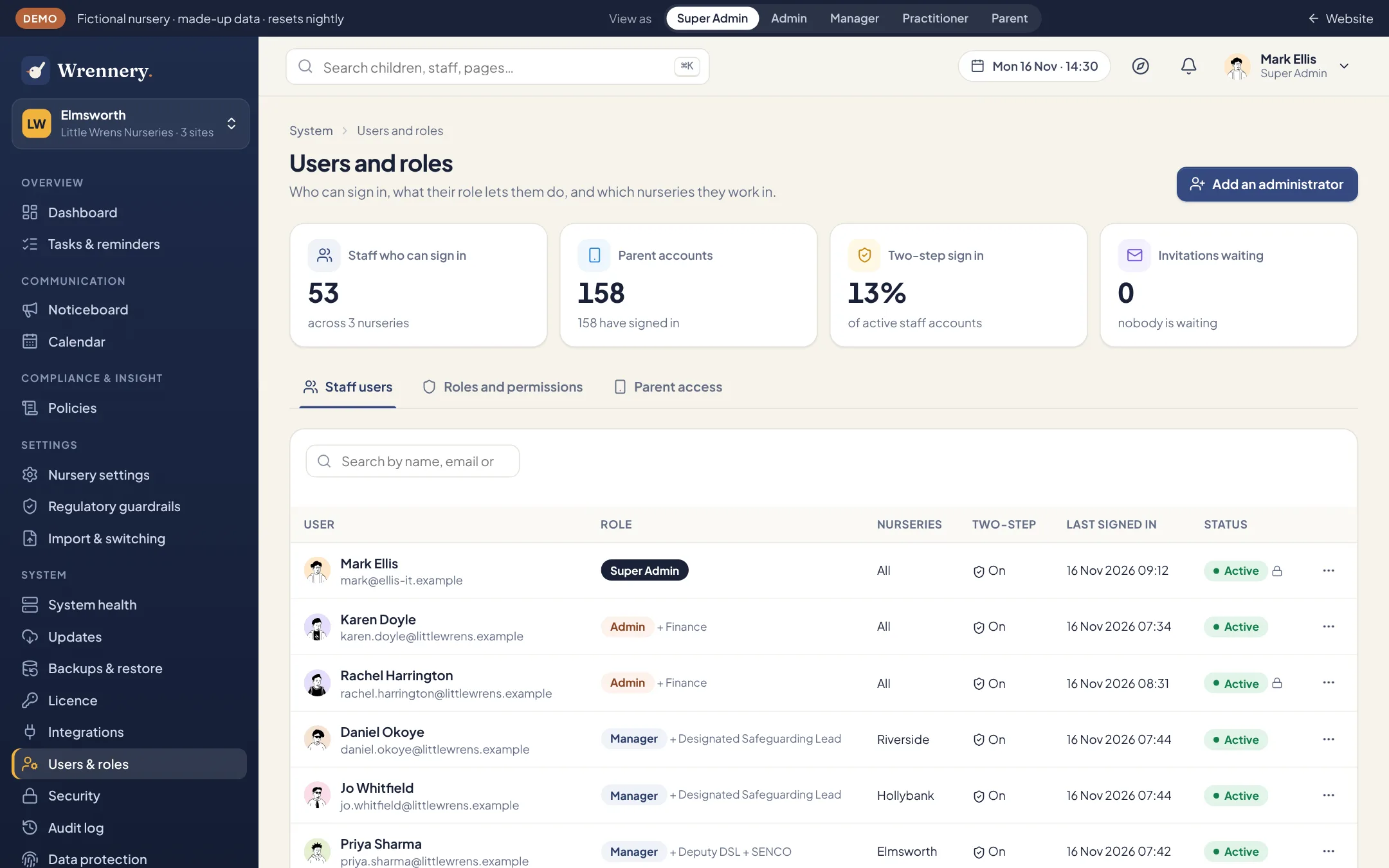
The right people, the right records.
What a person sees is set by their role and their site. Practitioners see their own rooms and key children. Safeguarding files open only to the safeguarding leads. The Super Admin, who looks after the system, cannot open children’s, family or staff records at all.
- Two-step sign in with an authenticator app, required for the roles you choose
- Minimum password length and a time limit on idle sessions, set by you
- Room tablets and the entrance screen are registered one by one, and staff unlock them with their own PIN
- Sign everyone out at once, or suspend one account, in a click
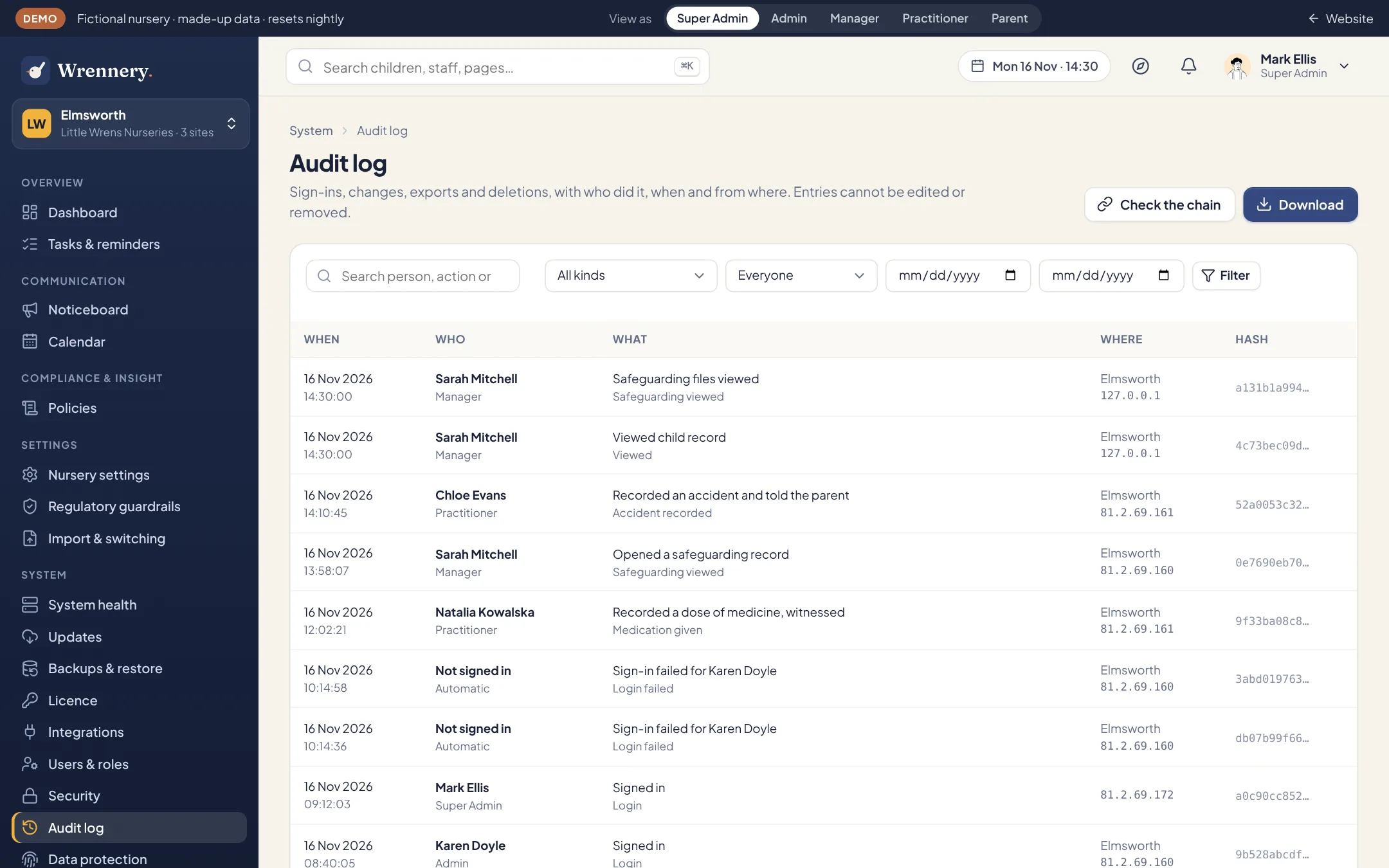
Every change on record.
The audit log records sign-ins, changes, exports and deletions, with who did it, when and from where. Entries cannot be edited or removed, and each one carries the fingerprint of the one before, so a gap or an alteration can be detected.
- Check the whole chain with one button
- Download the log as a spreadsheet file
- Every opening of the safeguarding files is logged
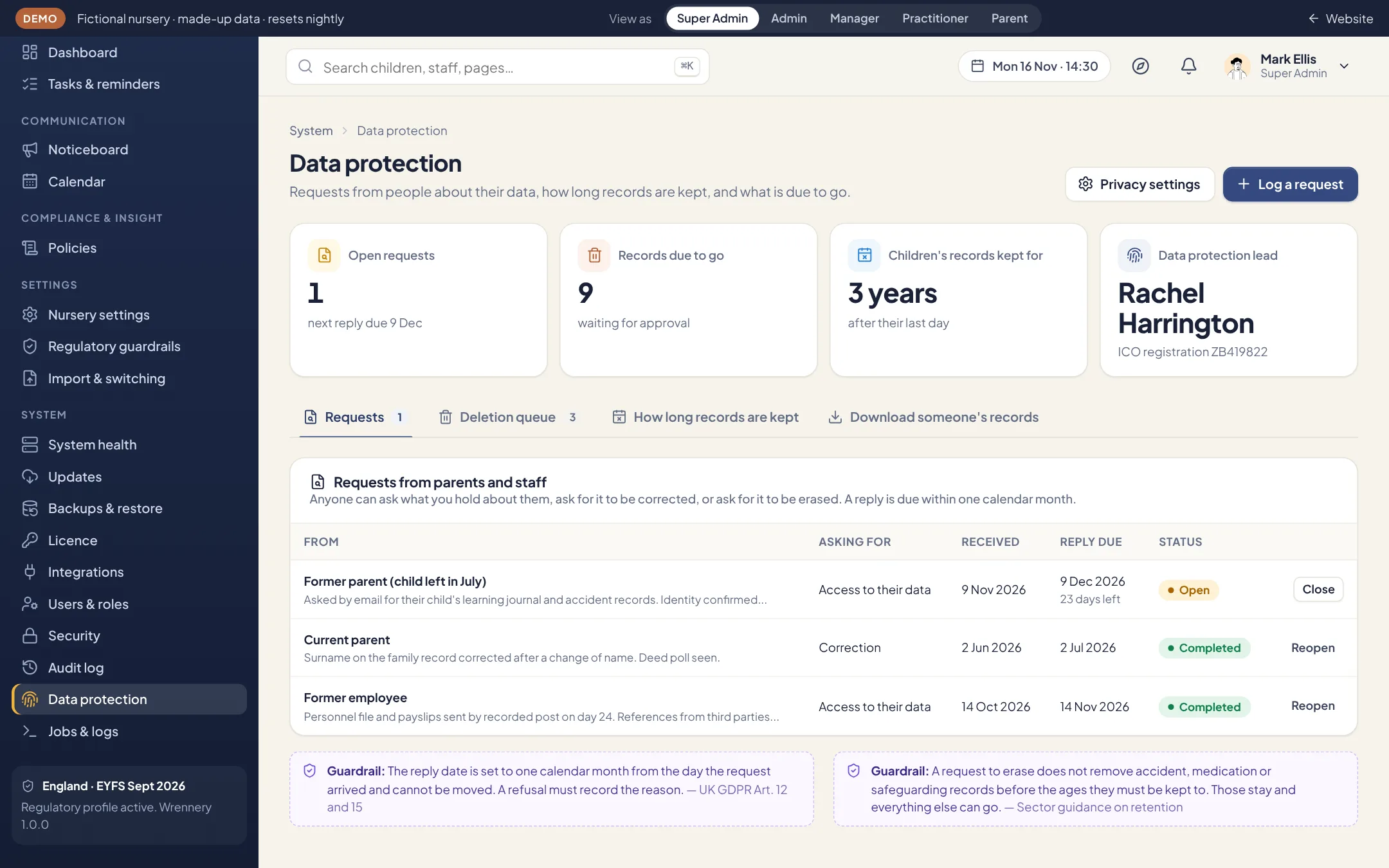
Retention and requests, in one place.
Set how long each kind of record is kept. When a record reaches the end of its period it waits for a person to approve the deletion: nothing is deleted on a timer. When someone asks for a copy of their data, Wrennery gathers everything held about them into one download.
- Retention periods for each kind of record
- A log of requests from people about their data
- A breach log, with the 72-hour decision on telling the ICO
Technical measures
- A database for each nursery. On our hosting every nursery’s records are in a database of their own. One nursery’s data is never in the same tables as another’s.
- Encryption in the database for the most sensitive fields: safeguarding entries, medical details, funding codes and certificate numbers. Passwords and PINs are stored as one-way hashes.
- Encrypted backups, with a password you set.
- HTTPS throughout, with HSTS and the usual protective headers. Pages that show records are never cached by the browser.
- Photos and documents are private files. They are served only to someone signed in who is allowed to see them, never from a public address.
- Photos taken on a room tablet are taken inside Wrennery and go straight to the server.
- Notifications to phones are encrypted from your server to the phone, so the services that carry them cannot read them.
- Sign-in attempts are limited, and sign-ins are recorded in the audit log.
What stays with you
The nursery is the data controller. On your own server you also look after the server itself: HTTPS, the firewall, operating system updates and where the backups are kept. The security checklist in the installation guide lists each point. Wrennery has not had an independent penetration test yet; we will say so here when it has.
Found a weakness? Please email support@wrennery.com and give us time to fix it before telling anyone else.
See it with your own nursery in mind.
Explore the full demo as a manager, practitioner, director, IT administrator or parent. No sign up, and no sales call.